

Data Champion: Gina Simon
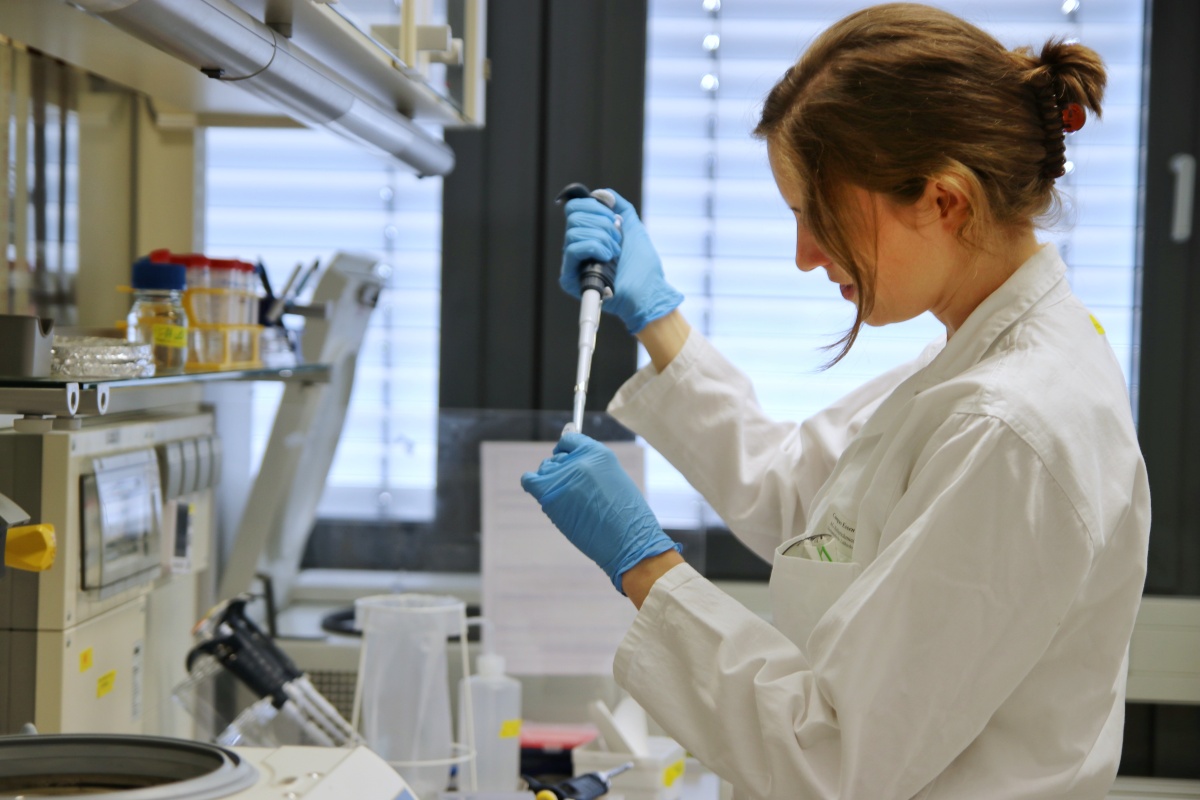
CRC 1430Gina Simon: How eLabFTW makes lab life easier
In her PhD project within CRC 1430, Gina Simon researches molecular Golgi stress factors and their role in cell state transitions. Supervised by Prof. Dr. Doris Hellerschmied-Jelinek, she has been an enthusiastic pioneer in the use of the electronic lab notebook eLabFTW, for which she has received the CRC 1430 Data Champion Award. In our interview, she explains how eLabFTW makes her day-to-day research easier and how she combines eLabFTW with other tools, such as the microscope data repository OMERO.
RDS: Your working group was a pioneer in the introduction of the electronic lab notebook eLabFTW – not only in CRC 1430, but at UDE in general. What exactly does this look like in your everyday research? How do you use eLabFTW?
GS: We enter all our experiments in eLabFTW and use it to share our protocols and experiences. On the experiment page, you can see what the others are currently doing and what they have done in the past – for example, if you want to know how many cells you plate if you only use a small dish, or if you have fundamental questions about how an experiment was done in the first place. The whole team finds this very helpful. We have all the information we need in eLabFTW – it gives us an overview of chemicals, antibodies, cell lines and protocols. Under the Resources tab, you can click on the individual chemicals and see all the information about them – safety data sheets, storage locations, our suppliers. We now have an inventory status that you can click. This makes it easier for us to keep track of whether something is in stock, needs to be ordered or has already been ordered and is on its way. We also use eLabFTW for the booking system.
RDS: You mean to manage laboratory equipment that is used by everyone?
GS: Exactly, you can sign up in eLabFTW and then you don’t get in each other’s way if several people need to use the same device. We also use it to keep track of maintenance – if something is wrong with the CO2 machine, you can enter it in the lab book. That way, everything is in one place.
RDS: Entering all the chemicals, antibodies and cell lines into the database in eLabFTW must have been a lot of work.
GS: The good thing was that we started using eLabFTW as soon as the laboratory was founded. This means that every new chemical was given an entry and a place in the lab – we all did this together at the beginning. That makes it easier. If a lab already has a cabinet full of 20 years’ worth of chemicals, it’ll be somewhat more difficult to transfer everything to eLabFTW – although they usually have Excel sheets that could be imported easily.
RDS: How many chemicals do you have in the database and how do you keep track of them?
GS: Over 100 chemicals, plus other resources that we also manage in the eLab, such as over 500 plasmids. The tag system of the database is very helpful for sorting. For example, we use the vectors as tags. If you only want to look only for a specific vector, you can click on the tag and only the plasmids with this vector will be displayed.
RDS: The tags are an interesting topic, because you first have to think about what makes sense for the whole group. How did you approach this?
GS: On the one hand, we have general tags for the plasmids and the chemicals, for example a tag for the storage location. The experiments get a tag to indicate if something is a cell biology experiment or an in-vitro experiment. I also label which cell line I am using. But there are also specific tags: for example, I have created a tag for my favorite protein – when I click on the tag, I can see all the experiments I have done with this protein. Everyone has their own tags for their project.
RDS: Would you say that eLabFTW is easy to understand and intuitive to use for new students?
GS: Yes, absolutely. Even if the students haven’t used an ELN before, you only need to show them once how to write an experiment – they have enough sample experiments here that they can look at. It works really well and everyone is always very grateful for it. Students who have written their theses here were also always happy that they could simply check the lab book for their materials and methods section – they didn’t have to go through the lab with a camera and take photos of all the chemicals. I still did that for my Bachelor’s thesis. And for my Master’s, I did an internship in a lab which still used handwritten lab books – you always had to find the page first, look up exactly how something was done, then you had to decipher the handwriting ... with eLabFTW you can just search for it.
RDS: I just noticed that you’ve created templates for certain experiments that researchers and students can use.
GS: Yes, we have stored the standard operating procedures as protocols. For example, we have a very basic template here for how to cultivate cells in the various flasks and plates that are available – i.e. how many cells to seed, how much medium to use in each case, but also what I have to consider when imaging. The template also links directly to all the resources.
RDS: And this protocol then works as a template if I want to create my own experiment in eLabFTW?
GS: Yes, it’s very simple: when I click Import here, the standard protocol is loaded in and I can save myself some typing. We’re all really, really happy with it.
RDS: I’m curious to see what a standard entry from you looks like. I see that you also paste pictures.
GS: Not always, but if I want to reproduce an experiment, for example, then I add the abstract of the paper and the published images to the protocol so that I know immediately what to look for. Our protocols are actually always structured in the same way: First the Aim, then Procedure and Results, where we write down exactly what we do and how. At the end, we have a Conclusion and Further Results, where we record whether the reproduction worked and where to go from here. Depending on how it went, I could then set the status to Success – or to Further optimization required.
RDS: You use OMERO for the imaging data. How does the interaction between OMERO and eLabFTW work?
GS: Exactly, we have all our imaging data on OMERO; we also store the raw data on our server. I think the interaction works well. If you create an image with OMERO, it generates a link that you can paste directly into the lab book. However, I often just take a screenshot and upload it to the report so that you can see the image immediately.
RDS: What becomes clear is that even if you work with different tools, it makes sense to have one master tool that you work with and in which all references are – and eLabFTW fulfills this function in your project.
GS: Exactly.
RDS: We were really impressed with how your group integrated these tools so well – it really is a well-deserved award. Thank you very much for the conversation!