

How to order scans from a book
Order via Primo
Our Primo catalogue displays the holdings of all the branch libraries in Duisburg and Essen.
After logging in, UDE employees have the option of ordering excerpts from books. The scans are sent by e-mail.
How to place a scan order
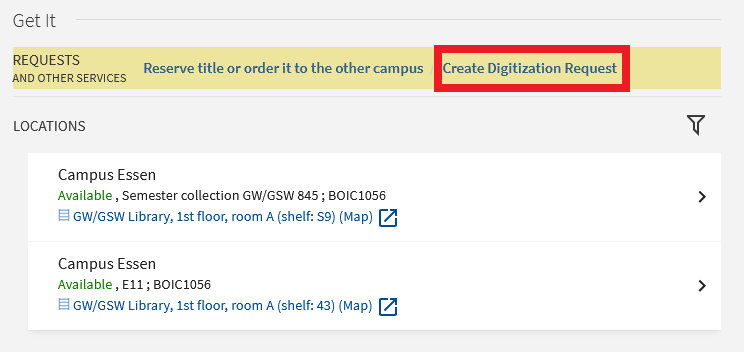
If you are logged into Primo as a UDE employee, you will see the option to create a digitization order above the location display.
To do this, click on the link ‘Create digitization request’:
Please enter the bibliographic details of the desired chapter/article in the form.
Please then select the reason for the order and confirm that you have read the copyright notice:
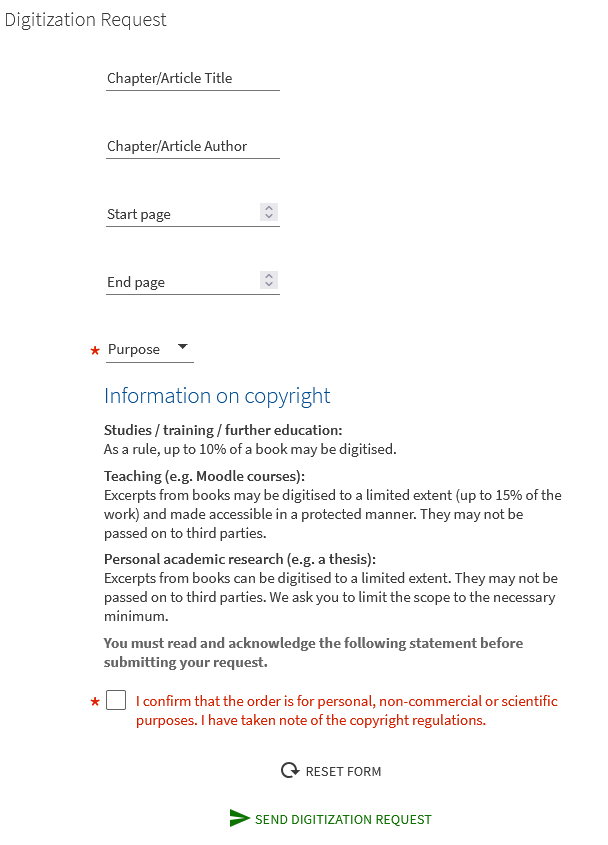
The delivery is made as a PDF file to the e-mail address stored in your library account.
Please ensure that you have sufficient storage space in your e-mail account.