

2FA - Using the Backup Code
When you first register, you will be asked to create a backup code. This is used to log in to the User Management Self-Service Portal if you no longer have access to your registered tokens.
The backup code only works in the User Management Self-Service Portal. New backup codes can be created in the User Management Self-Service Portal under ‘Security’ – ‘Two-factor authentication’. Please note that this will invalidate any previous codes.
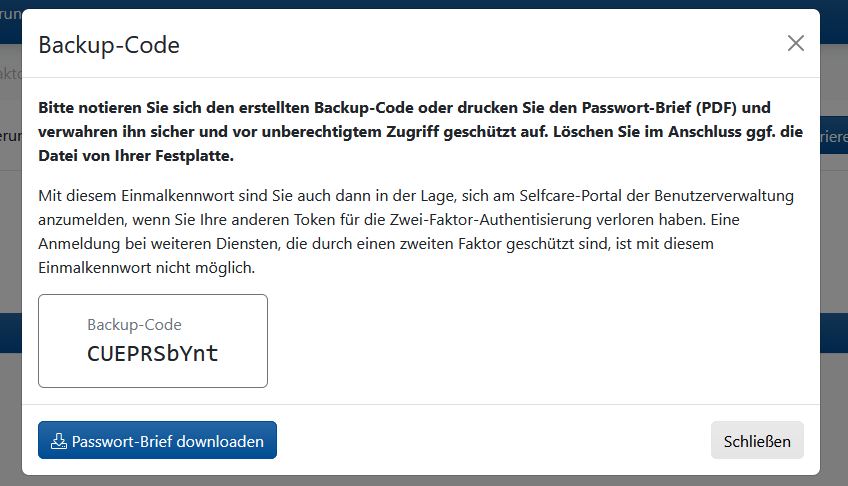
Backup codes should not be stored on your device. Print them out and keep the printout in a safe place.
To use your backup code, go to the Selfcare Portal at selfcare.uni-due.de. Log in using your user ID and the corresponding password.
When prompted to enter the two-factor authentication code, please click on ‘Use backup code’.
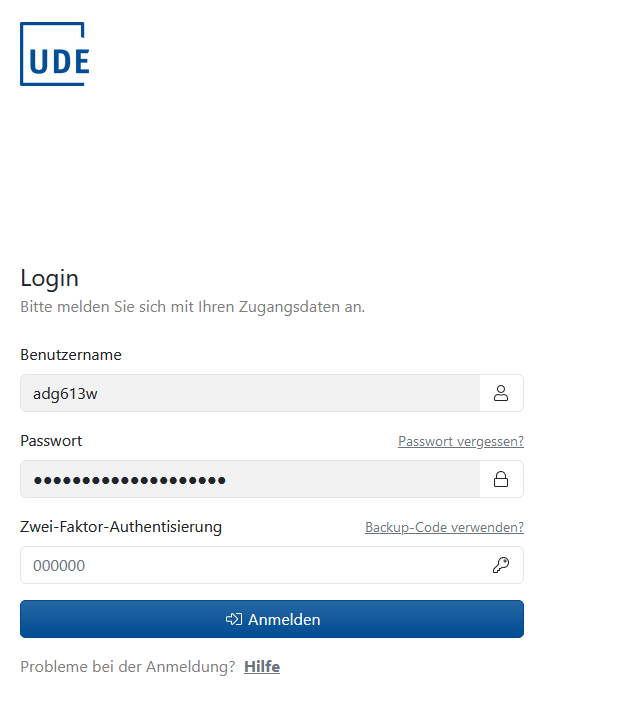
Afterwards you can enter your current backup code.

Once you have logged in, a new backup code will be displayed immediately. Please make a note of it or print it out.
Whenever you make a change to two-factor authentication via the Selfcare Portal, you will receive an email notification for verification purposes.
If you have received a notification without having made or requested any changes, please contact the ZIM hotline or e-Point immediately.